Miscellaneous files module is used to maintain files used
for multiple purposes. One use of these files is to validate
certain critical field values during data entry throughout the
system. This eliminates many problems observed in other
software, such as searches failing to find some properties
because of misspelled field values during data entry.
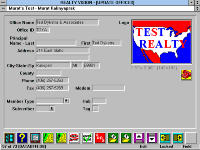
- Offices file contains information about agencies in an area or in a multiple listing association.
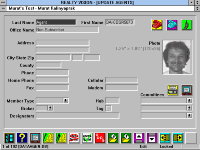
- Agents file contains information about agents in each office, in an association or an area.
Office and agent files can store a color logo of each office and
a color photo of each agent. Individual offices and agents may
use these files as membership lists, automatic phone dialers
address books, etc.
Agents file contains additional fields such as committes and
qualification designators, etc. enabling multiple listing service
oriented functions.
- As with all other Realty Vision files, the contents of these files may be listed as a summary report
by just clicking an icon on the default icon bar.
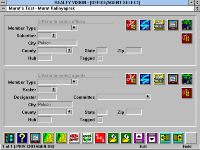
Offices and agents files can be searched based on given sets
of field values, to select records matching a certain criteria.
The resulting selected sets can then be used in mail-merges,
as an example, to send a certain correspondance to only the
licensed brokers in a selected area or only to the agents who
serve as members of a certain committee in a multiple listing
organization, etc.
- Office and agent records can also be randomly tagged and later selected based on these tags, in
order to create a set for a special occasion, which would otherwise not fit any standard criteria.
Not being able to dial "1+are code" for local numbers and
large rural states having many long distance zones within a
same area code may cause problems with some software.
Realty Vision's smart features will dial any number in your
files properly, even as you move from one area to another.
Other data in this module, such as city/county/state names
are used for data validation or automatic data entry as well.

 Office and agent files can store a color logo of each office and
  Offices and agents files can be searched based on given sets
 Not being able to dial "1+are code" for local numbers and