Realty Vision's form editor lets you to create WYSIWYG
electronic forms, from buy-sell agreements to phone slips.
The body of the form can be made of any fonts of any size
or typeface. User filled data are printed using fixed fonts to
make them look as they were typed on a preprinted form.
- Form editor icludes a spelling checker with a user maintainable dictionary of over 60,000 words.
- Small images, such as the equal housing logo, can be included in your forms as special fonts.
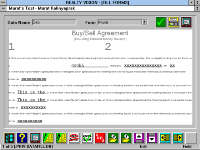
Once you create and save your electronic forms, you may go
to the form filler screen, call up any form by its title, fill it in,
preview and print it in just a few minutes.
Of course, you can save the filled forms which you can later
retrieve and reprint. In fact, you can use an existing form as
a template for a new one, make the necessary changes to
the filled-in data and save it under a new title.
- The same spelling checker available in Realty Vision word processor and form creator screens
will help you make sure that the data you fill-in is spelled correctly as well.
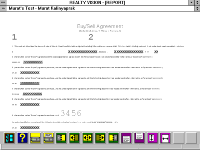
One strong feature of the Realty Vision's form filler is to let
you store often used standard verbages. When filling forms,
you can recall and fill-in entire paragraphs with just a few
mouse clicks, without typing a single word.
Even in cases where standard paragraphs would not exactly
fit a situation, you may still save time and effort by inserting
them into your form first and then editing it as needed.
- Like all other reports, you can preview how your letter or legal size forms will look when printed,
before you save them or print them on your printer.
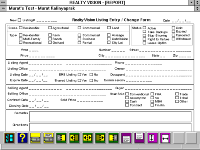
Realty Vision comes with several built-in forms which are
called "system forms". These may not be modified by the
users nor can they be filled electronically, but they can be
printed as needed for manual filling.
For example, you may fill the new/changed listing forms
manually when you are away from your office and use it
later to input the information into your computer.


 Once you create and save your electronic forms, you may go
 One strong feature of the Realty Vision's form filler is to let
 Realty Vision comes with several built-in forms which are
